Vangoa Wireless Page Turner Pedal: Review and Demo

I’m so excited to share my first tech for musicians content of the year – a review on the Vangoa Wireless Page Turner Pedal! I was very kindly gifted this pedal from the brand, but I’ll be sharing my honest review and a demo of how I use it today. I also have a coupon code that you can use if you’d like to buy it for yourself! I’ll share that at the end of the article.
Watch the Video
The links in today’s article are affiliate links: if you make a purchase, I will receive a commission. Thank you for supporting my free content!
Table of Contents
About Bluetooth Pedals
I’ve been using an iPad for sheet music reading since 2020, and along with that, a Bluetooth page turner is essential for hands-free reading. Using a page turner pedal feels easier to me than worrying about the page turns on traditional paper sheet music.
Previously, I’ve used the Donner
Size and Design
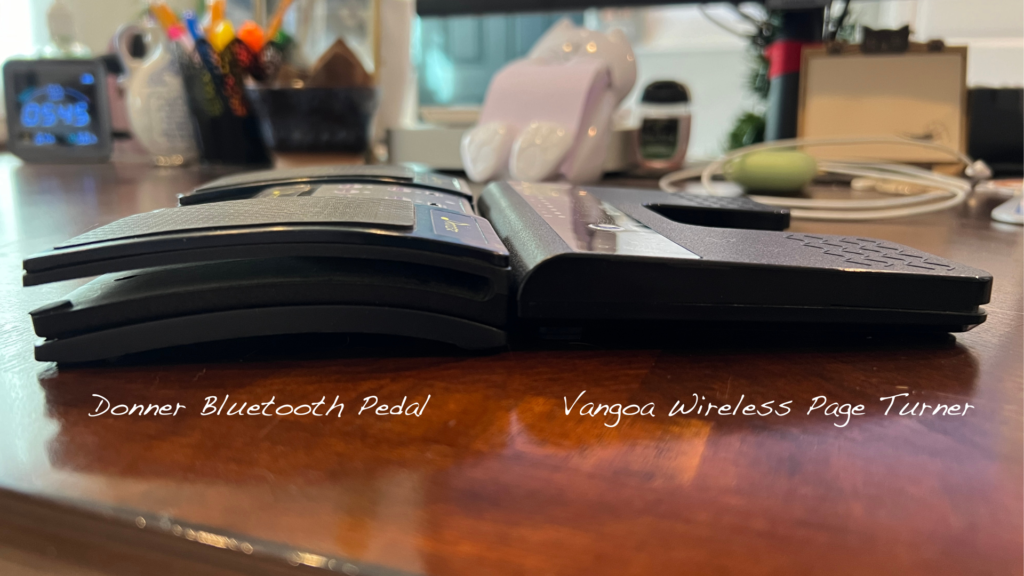
This
I really like the design of the Vangoa Wireless Page Turner Pedal; it’s very sleek and minimal. The lit up mode buttons are constantly on (as long as the pedal itself is on), but they’re dim, so I don’t think any audience members would notice or be distracted by it. In comparison, my
The Vangoa pedal has a music staff design that I don’t particularly love, because many of the music symbols are backwards and the symbols don’t really make musical sense. It’s okay though, and since it’s a gray on black design, it doesn’t stick out too much.
The bottom of the pedal has a super strong grip! It’s very, very difficult to push it around on a smooth surface like wood floors. This is great in performance; as long as you set up the pedal in the location you want, it will not move on you.
Bluetooth Connection
This pedal connects to my iPad seamlessly, and automatically pairs with my iPad every time I turn the pedal on. I haven’t had to re-pair it at all.
Overall the setup was very simple, and exactly what you’d expect when pairing a device like this. It did appear as “SR-F300”, which I knew would get confusing with all the other products I have paired to my iPad. I renamed it “Vangoa
Modes

The Vangoa wireless pedal has six modes. From left to right, they are: Page Up/Page Down, Up and Down, Left and Right, Left/Right Mouse Button, Play/Pause, and Continuous Flip.
I personally use this pedal on the Page Up/Page Down mode. It’s the same mode that I use on my
Continuous Flip lets you infinitely flip through the pages of your music with one held foot press. This can be helpful if you need to turn more than one page fast, but I personally leave this turned off so that I don’t accidentally flip too many pages at once during a performance. To activate Continuous Flip, you’ll want to long press the Mode button.The Continuous icon then lights up. If you want to turn it off, just long press the Mode button again.
Battery Life and Charging
One of the biggest concerns many of us have when using digital sheet music and a pedal is the battery life – will it last through a full concert? I’ve used this pedal a lot over the last few weeks, and I never fully turn it off. The battery has lasted this whole time! The box boasts “60 days standby time”, so as long as you charge the pedal every so often (and particularly before a gig), you should be fine!
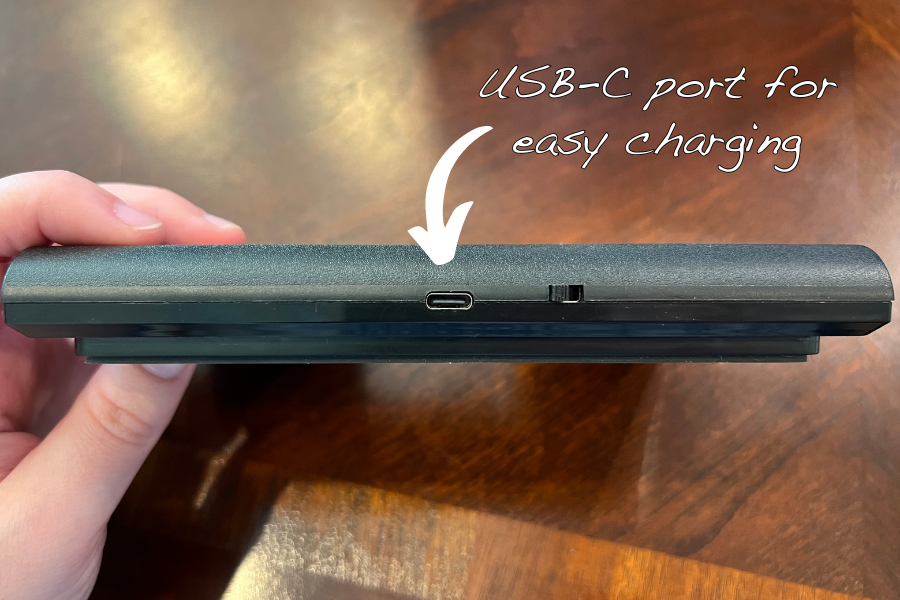
I love that this pedal has a USB-C charging port. My iPad is also USB-C, and I know it’s becoming a standard port around the world. It’s so convenient that this pedal uses the same port as my iPad. It did come with a very short charger (less than a foot long), but it’ll be easy to charge it with my iPad cord.
This is especially helpful if you also own a tablet that uses USB-C: you can take just one charger to your gig for battery backup, and it’ll cover both devices!
Looking for a tablet to read sheet music on that isn’t an iPad? Check out my recommendations!
Using the Vangoa Pedal
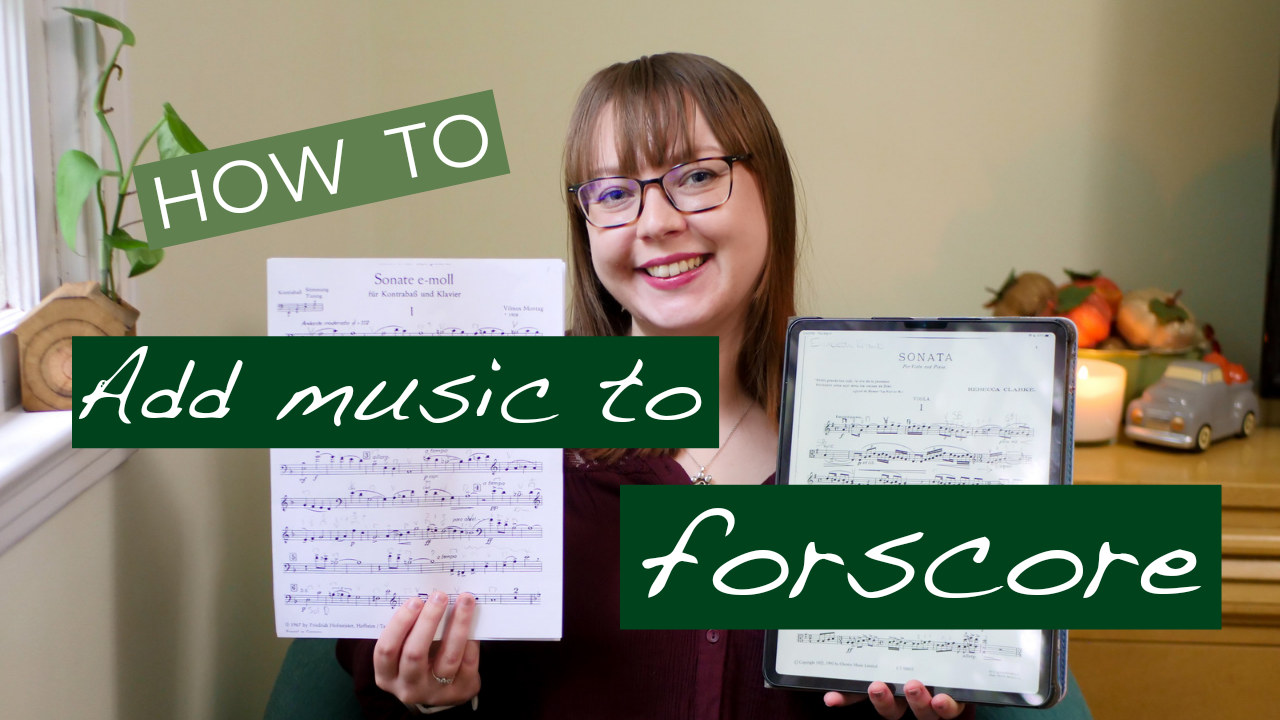
After pairing the pedal to your device, you can use it right away! If you’ve been here for a while, you know that I always use Forscore for reading my digital sheet music. This pedal works flawlessly with Forscore, with a very fast response time.
I also tested the pedal in MobileSheets, which I don’t often use. With my iPad in landscape and without changing any in-app settings, the pedal went from the top of one page to the top of the next, without going to the bottoms of the pages. I ended up changing the settings in MobileSheets so that the pedals go to the bottom (or top) of the page before turning. This fixed the problem, but it does scroll from bottom to top, which I’m not used to. I then changed the scroll speed to fast, but it still feels slow to me, and it goes down about a third of the page at a time. I’m more accustomed to Forscore’s complete half page turn in landscape mode. These comments are really on MobileSheets’ navigation. The pedal does its job fast in this app as well!
I generally just leave my pedal on all the time so that it’s ready for me when I come back to playing and teaching through the days and weeks. After some time away (probably about an hour or more), I generally just tap the pedal to wake it up and to be sure it’s working right, and then I’m good to go!
If you turn it off between uses, you just need to flip the on switch on the back, wait a second or two, and then you’re good to go!
I find that it’s easy to press this pedal and to go between the left and right pedals themselves. It has a raised zigzag design to help your foot grip to it, which I like. And like I said before, the grip on the bottom is so strong that you don’t need to worry about it sliding around on stage as you’re pressing it in the moment.
If you prefer a very tactile feedback, you might not get that as much with this pedal. Some other pedals have a very “clicky” kind of feel that this one doesn’t have. I can certainly feel it press down, but it’s not quite as dramatic as other pedals that I’ve tried. I don’t think this is a very big deal, but depending on your preferences, I just wanted to point it out.
A huge plus of the Vangoa pedal is that it’s almost practically silent! I can just barely hear a plastic sound when I press on it. From the floor to my ear, it’s practically inaudible; and while playing music, it’s completely silent.
Watch Me Use It!
If you’d like to watch a demo of pairing the pedal and how it works with Forscore and MobileSheets, be sure to watch the video!

Thank you again to Vangoa for gifting me this pedal, and if you’re interested in purchasing this for yourself, you can receive 5% off with my coupon 05Elizabeth. The coupon is valid until February 24, 2024 at midnight PST.

Discover more from Life from the Viola Section
Subscribe to get the latest posts sent to your email.